Discover the 15 best local SEO tools every business owner should know. Learn how to improve local rankings, optimize your website, attract more customers, and grow your business.
Getting your business discovered in local search results, attracting potential customers, and winning the loyalty of the locals is no simple task. Therefore, investing in the best local SEO tools is highly recommended. Whether your business is a cafe, dental clinic, retail store, law firm, or home service business, local SEO tools can help you increase your online visibility, monitor your rankings, optimize your website, and manage your business listings.
Actually, you don't need to spend thousands of dollars a year to get the benefit from these tools because the majority of them feature a Free version or low-cost pricing plan that delivers useful data for small businesses.
In this article, you'll find out 15 local SEO tools every business owner should be familiar with, and we’ll also show you how those tools help increase your local footfall or website traffic.
Why Local SEO Tools Matter
Maintaining a local SEO strategy without using a tool would involve many hours of work, probably every time you have to update one or even check on one thing. Tools make the work much easier by enabling you to:
- Monitor keyword rankings
- Optimize your Google Business Profile (GMB)
- Website analytics monitoring
- Local keyword research
- Management of business data listings
- Competitor analysis
- Review tracking
- On-page optimization assistance
The combination of several tools allows you to rely on data for your choices and thereby optimize your online presence in a more effective and efficient way.
1. Google Business Profile (GBP)
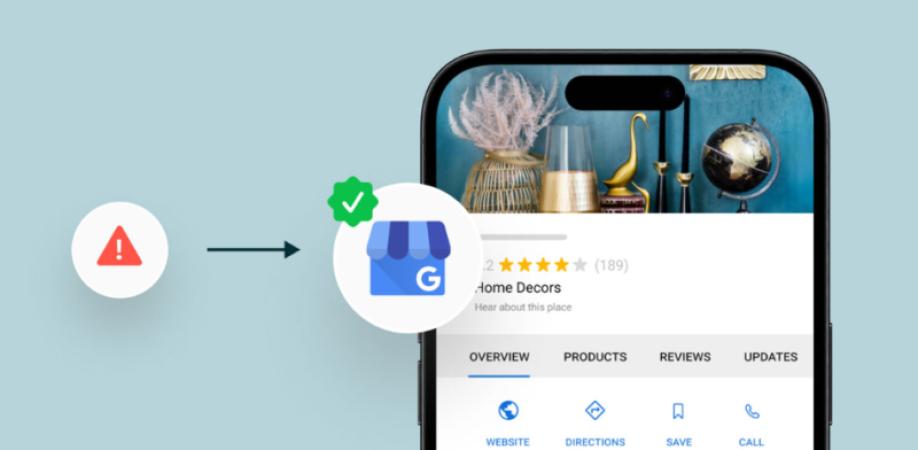
Google Business Profile is the cornerstone of every local SEO campaign. If you set up a GBP, your name will come up whenever someone searches for the product or service you sell nearby with a local map marker.
To name a few things that a full GBP profile can do for you:
- Display business operating hours
- Add visual content
- Get in touch with customers
- Share news/events and deals
- Feature product and/or service
A perfect and updated GBP gives you the upper hand in local search result rankings.
2. Google Search Console
This is a tool offered by Google through which you can get an overview of how the Google Search engine behaves with your website.
It is one such tool that makes it possible for you to:
- Keep an eye on the traffic that is coming from search
- Track keyword rankings
- Indexing issue identification
- Uploading sitemaps
- Get rid of technical SEO issues
As a tool, Google Search Console gives you the information to know whether your site's visibility needs improvement and the necessary steps to make it visible to Google.
3. Google Analytics
Google Analytics will give you all the details you need on visitors on the website.
With it as a data analytics platform, you can do several things:
- Gaining insights into a website's traffic and other website metrics
- Demographics
- Referral Sources
- Conversion Rates
- Top-performing pages
By knowing where people are coming from, how far they go, and where they leave, the marketing team would be able to optimize the website better for conversion at all stages.
4. Google Keyword Planner
Google Keyword Planner is the tool that helps discover the local search terms people are typing when searching for services in their areas.
Google Keyword Planner can be used for several things:
- Discovering local search terms people use when searching
- Checking the level of search traffic
- Looking for different variations of the keyword
- Scheduling the topics of content according to search terms
If you want a successful content promotion that is tailored to your customers, use Google Keyword Planner.
5. BrightLocal
BrightLocal is one of the local SEO platforms that both businesses and agencies make good use of for a variety of reasons.
What is it that makes it a great option for a local SEO tool?
- Serious local SEO with rank tracking
- Citation management, keeping the data consistent across the board
- Monitoring local reviews by location
- Google Business Profile audit
- Local SEO reports generation
It is an ideal comprehensive solution you will use for getting better results on local SEO searches.
6. Moz Local
One of the major uses of the Moz Local platform is the handling of the online presence for small or midsize businesses across multiple local listings platforms or directories.
Some key advantages:
- Ensure accuracy of your business information
- Identification of duplicate listings by location
- Review monitoring and management of feedback
- Syncing business data across multiple online platforms
Having your business details be the same everywhere increases customers' trust, plus the consistency helps SEO.
7. Semrush
Semrush stands as a robust tool in search engine optimization, aiding businesses with both local and national promotional strategies.
The platform boasts of a wide feature set such as:
- Search Term Search
- Market Leader Analysis
- Inbound Link Watch
- Complete Website Scanning
- SEO Performance History
- Localized SEO Solutions
Business leaders can exploit this tool for finding out ways that their search engine position can be improved and outplaying competitors at the same time.
8. Ahrefs
Though most renowned for being one of the best tools when looking at backlinks, Ahrefs also goes well with research on keywords and other SEO analytics.
This tool can work in the following ways:
- You can do competitor research
- You can find ways to acquire links
- You can track your website's rankings for keywords
- It can be used to audit the website
High-quality links still represent a major component that affects how people from the immediate vicinity discover your services.
9. Screaming Frog
It is a very effective tool that crawls websites so as to find out possible technical SEO problems that can cause your website to be penalized or even not be found at all. The system runs several scans, which include:
- Dead links
- Repeated posts
- Descriptions for meta tags
- Links that redirect
- Images without description
- Periodic technical assessments help a website stay in optimal condition.
10. Whitespark
Whitespark mainly provides services for building local citations and tracking local keyword rankings on Google.
With the services of Whitespark, business users can:
- Develop citation network
- Track ranking for local keywords
- Citation opportunity hunt
- Increase visibility on local searches
This tool is highly beneficial for companies that have multiple geographical offices.
11. Yext
This tool allows business owners to keep track of the online presence of their company across different directories from a single interface/dashboard.
The tool includes:
- Profile Management
- Opinion Monitoring
- Company Details Updates
- Accuracy of the data of different store locations
Up-to-date listing helps strengthen the efforts to increase visibility and attract local customers.
12. Ubersuggest
Ubersuggest is a simple SEO software that can guide new users to search for keywords, generate ideas for content and perform analysis on competitors' websites.
With it, one can:
- Uncover new markets
- Compare web traffic of different sites
- Find links that are coming in
- Create articles to attract search engine traffic
Local business owners who are short on budget or have no prior exposure to SEO will find this tool the ideal option.
13. Rank Math
If your WordPress site is where your online business is set, then getting a plug-in like Rank Math would be a real blessing as it makes optimization of on-page SEO a breeze.
The Rank Math plugin helps in optimizing:
- Title tags
- Descriptions of meta tags
- Microdata schema markup
- Sitemap for XML
- Connecting related pages via internal links
- Sentence highlights by the use of keywords
Anyone, regardless of level of expertise, can easily take control of SEO with the simple UI of this plugin.
14. Canva
Making great-looking graphics is important in a content marketing campaign. A tool like Canva is of big help here. While Canva is not an SEO tool, it is able to assist you with the creation of top-notch visuals.
Create using Canva:
- Visuals for posts on social platforms
- Images for online articles
- Informative visuals through graphs and diagrams
- Advertisements and banners for website or print
- Posts that promote or attract customers on Google Business Profile
Content with attractive visuals is not only better at drawing attention, it also gets shared more frequently on social networks.
15. PageSpeed Insights
The loading speed of a webpage is a factor in both the satisfaction of the user and the ranking on search engines. A tool like PageSpeed Insights is very useful for checking the speed of loading of a site.
It also recommends the actions that should be taken, such as:
- Reduce the size of images
- Make the website mobile-friendly
- Ensure the performance of essential aspects of pages that are being measured
- Shorten the time to load a page
Faster websites retain more customers than slow ones and are thus good for local SEO.
How to Choose the Right Local SEO Tools
Not every business needs every tool. Choose based on your goals, budget, and level of experience.
For example:
- Beginners can start with Google Business Profile, Google Search Console, Google Analytics, and Rank Math.
- Growing businesses may benefit from BrightLocal, Moz Local, or Semrush.
- Businesses focused on technical SEO can add Screaming Frog and Ahrefs.
Start with free tools and expand your toolkit as your business grows.
Tips for Getting the Most Out of Local SEO Tools
To maximize your results:
- Monitor your rankings regularly.
- Keep your business information consistent.
- Optimize your Google Business Profile.
- Publish high-quality local content.
- Track website performance monthly.
- Respond to customer reviews promptly.
- Perform regular technical SEO audits.
- Analyze competitor strategies.
Using your tools consistently is more important than using every tool available.
Final Thoughts
Local SEO tools make it easier for small businesses to improve their online visibility, attract nearby customers, and stay competitive in local search results. From optimizing your Google Business Profile to tracking keyword rankings and monitoring website performance, the right tools can simplify your SEO efforts and help you make informed marketing decisions.
Start by using free tools like Google Search Console, Google Analytics, and Google Business Profile. As your business grows, consider investing in advanced platforms such as BrightLocal, Semrush, or Ahrefs to expand your capabilities. By combining these tools with a strong local SEO strategy, you'll be well-positioned to increase traffic, generate more leads, and grow your business in your local market.